What to Know About the MyChart Phishing Scam
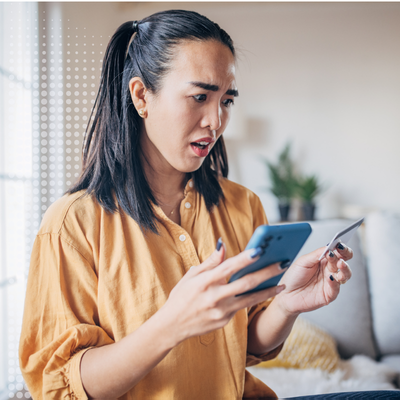
If you’ve received an unexpected email promising a free “MyChart Medicare Kit” — stop. Don’t click anything. It may be part of a widespread phishing scam currently targeting patients across the country, including right here in our community.
What's Happening
Cybercriminals are impersonating MyChart — the secure patient portal used by Summa Health and health systems across the U.S. — using its name, logo, and familiar-looking emails to trick patients into handing over their personal information. More than 40 health systems nationwide have now issued warnings about two main versions of this scam:
The “Free Gift” Version: You receive an email or text offering a “2026 MyChart Senior Health Package,” “Medicare Kit,” or free wellness gift. A button invites you to click and claim it. That link leads to a fake website designed to steal your personal, financial or insurance information.
The “Urgent Lab Results” Version: An email tells you that your recent test results are ready. The sign-in button takes you to a convincing but fake copy of the MyChart website. After you log in, you’re shown fabricated, alarming medical records — then told an “AI-powered review” found something critical. To “see more,” you’re walked through keyboard shortcuts that secretly install malware on your device.This Is a Brand Attack - Not a MyChart Security Breach
It’s important to understand that MyChart itself has not been hacked. Epic, the company that makes MyChart, confirmed that scammers are exploiting the popularity and trust of the MyChart brand — not any weakness in the software or your account. Your health records and Summa Health’s systems are secure.
Red Flags to Watch For
- An email or text offering free gifts, Medicare packages, or wellness kits.
- Urgent alerts about lab results you weren’t expecting.
- A sender email address that doesn’t match your health system’s official domain (@summahealth.org).
- A web address in your browser that isn’t your health system’s real MyChart URL (Summa Health’s MyChart URL is https://mychart.summahealth.org).
- Spelling or grammar errors in the message.
- Any instruction to press keyboard shortcuts or run commands on your computer.
- Requests for your credit card, insurance, or Medicare information. You will only be asked to provide this information after logging into the MyChart app or while speaking directly with a Summa Health employee by phone.
How to Protect Yourself
The best defense is simple: go directly to MyChart yourself. Open the MyChart app on your phone, or type SummaHealth.org into your browser. Never access your account through a link in an email or text message.
If you receive a suspicious message:
- Don't click links, reply or click "unsubscribe."
- Don't enter any personal, medical, financial or insurance information.
- Mark it as phishing or spam in your email app and delete it.
- If you have a family member who uses MyChart (especially one on Medicare) share this warning with them.
We're Here to Help
At Summa Health, protecting your health means protecting your information too. If you’re ever unsure whether a message is really from us, call the MyChart Help Desk at 234.475.6789.
Stay safe — and when in doubt, don’t click.
About the author
Vitality General Wellness eNews Sign Up
Receive the Summa Health eNewsletter for the latest health tips, advice and updates.