How to Request a Prescription Refill in MyChart
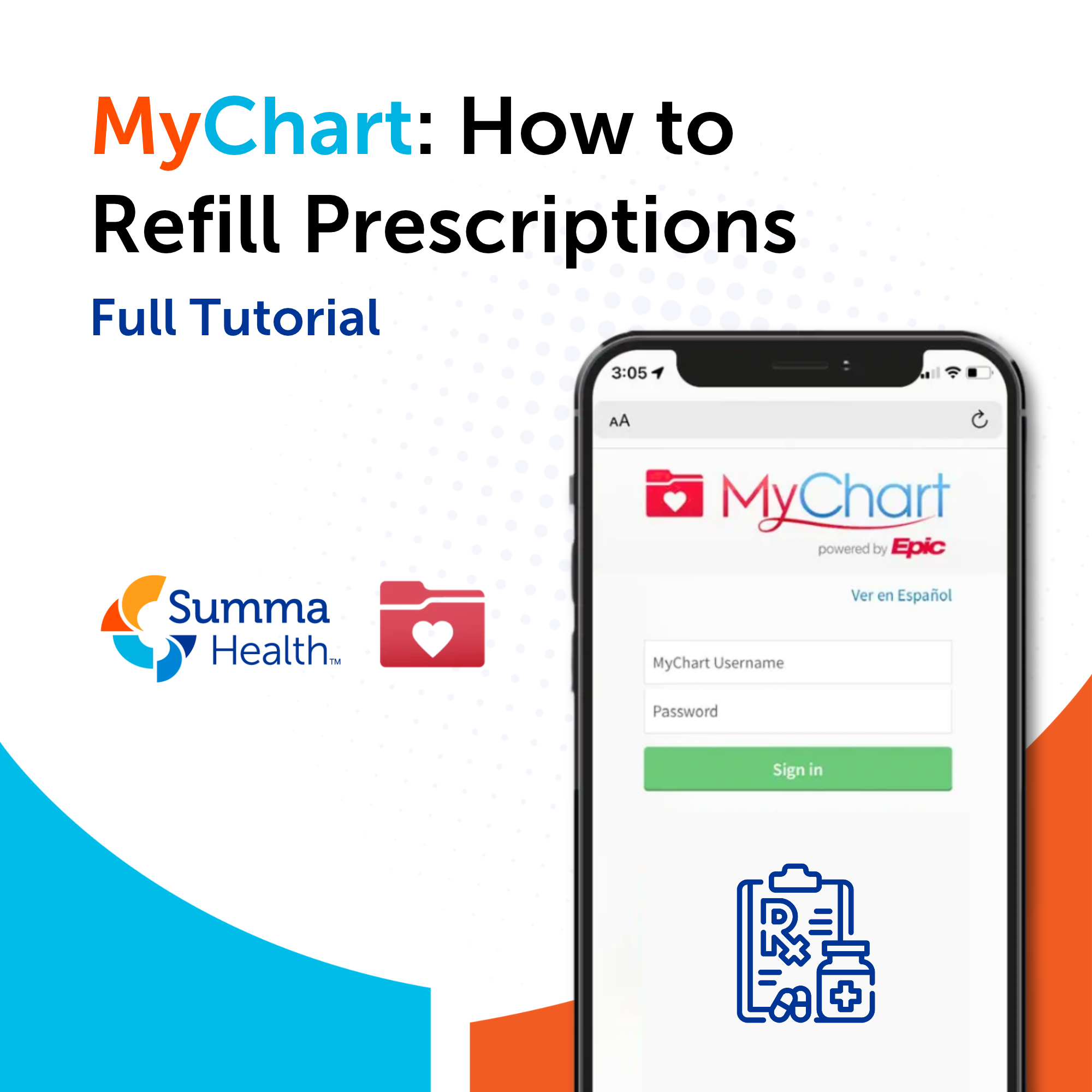
Running low on a medication? MyChart makes it easy to request a prescription refill from your Summa Health provider without calling the office. Submit your request online in just a few minutes and have it sent directly to your preferred pharmacy.
Why request refills through MyChart?
Requesting refills through MyChart is:
- Convenient – Available 24/7 from your phone or computer
- Fast – Requests are typically processed within 1–2 business days
- Accurate – Your medication list and dosage information are pre-populated from your health record
- Trackable – You can check the status of your refill request in MyChart
How to Request a Prescription Refill in MyChart
View the video or follow the steps below to see how to request a prescription refill.
On the MyChart Website:
- Log in at mychart.summahealth.org.
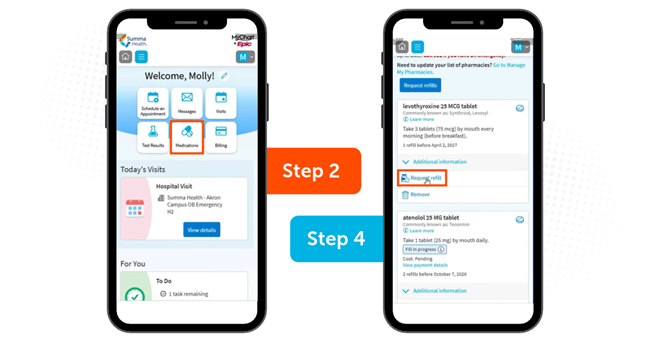
- From the main navigation menu, click "Medications."
- Find the medication you need refilled in your current medication list.
- Click "Request a Refill" next to that medication.
- Confirm or update your preferred pharmacy (you can search by name, address or zip code).
- Add any relevant notes for your provider if needed.
- Click "Submit" to send your refill request.
On the MyChart App:
- Open the MyChart app and log in.
- Tap "Medications" from the home screen or main menu.
- Tap the medication you need refilled.
- Tap "Request Refill."
- Confirm your preferred pharmacy and tap "Submit."
You'll receive a MyChart notification when your refill request has been processed and sent to the pharmacy.
What to Do If Your Medication Isn't Listed
If a medication you take isn't appearing in your MyChart medication list, it may not have been prescribed through Summa Health or may have been discontinued in the system.
In this case:
- Send a secure message to your provider through MyChart explaining which medication you need refilled.
- Call your provider's office directly to request the refill by phone.
Tips for Managing Prescriptions in MyChart
Request refills early. Submit your request when you have about a 7–10 day supply remaining to allow processing time.
- Verify your pharmacy. Double-check that the correct pharmacy is selected before submitting, especially if you've recently changed pharmacies.
- Check for prior authorization. Some medications require insurance prior authorization before a refill can be dispensed.
- Review your full medication list. MyChart shows all active prescriptions from your Summa Health providers. Keep your list accurate by reporting any changes to your care team.
Frequently Asked Questions
Q: How long does a MyChart refill request take?
A: Most refill requests are processed within 1–2 business days. Contact your provider's office if you haven't heard back after that time.
Q: Can I request a refill for a controlled substance through MyChart?
A: Controlled substances typically cannot be refilled through the online portal and require a separate process. Contact your provider directly for these medications.
Q: Can I change my pharmacy through MyChart?
A: Yes. When submitting a refill request, you can search for and select a different pharmacy. You can also update your preferred pharmacy in your MyChart profile settings.
Q: What if my refill is denied?
A: If a refill request is not approved, your care team will typically send you a message in MyChart or contact you by phone to discuss next steps, such as scheduling a medication review appointment.
Q: Can I refill medications for a family member using proxy access?
A: Yes. If you have proxy access to a family member's MyChart account, you can switch to their account and submit refill requests on their behalf.
About the author

Vitality General Wellness eNews Sign Up
Receive the Summa Health eNewsletter for the latest health tips, advice and updates.